

We're changing the way you send us data and communicate with us.
We will still respond to emails during the transition, but we now provide a secure area for you to upload the documents we need.
You also get an app to take photos of receipts and invoices on the go, which will upload to your secure Client Portal.
We will use your Client Portal to share your documents, such as your Limited Accounts, Corporate and personal tax return.
What is TaxDome and why should I use it?
TaxDome is a software solution that helps ease the communication between us and our clients. Here’s why we use it:
Secure, intuitive client portal that is user-friendly even to those who aren’t tech savvy. Everything in one place: you can electronically sign documents, settle invoices, complete organizers, sign proposals without going to multiple websites all from the comfort of your mobile phone or computer Secure exchange of information & safety of your personal data. TaxDome has a built-in secure messaging system, where we can request information we need from you or chat in real time. If we need you to do something, you will receive timely notifications and will see an easy-to-read to-do list. The client portal is mobile friendly, so you can access it anytime, anywhere!
How to start
Step 1: Activate account.
Open the invitation email and click on the Activate Account button.

Then create your password. Enter it twice to confirm, then click Submit.
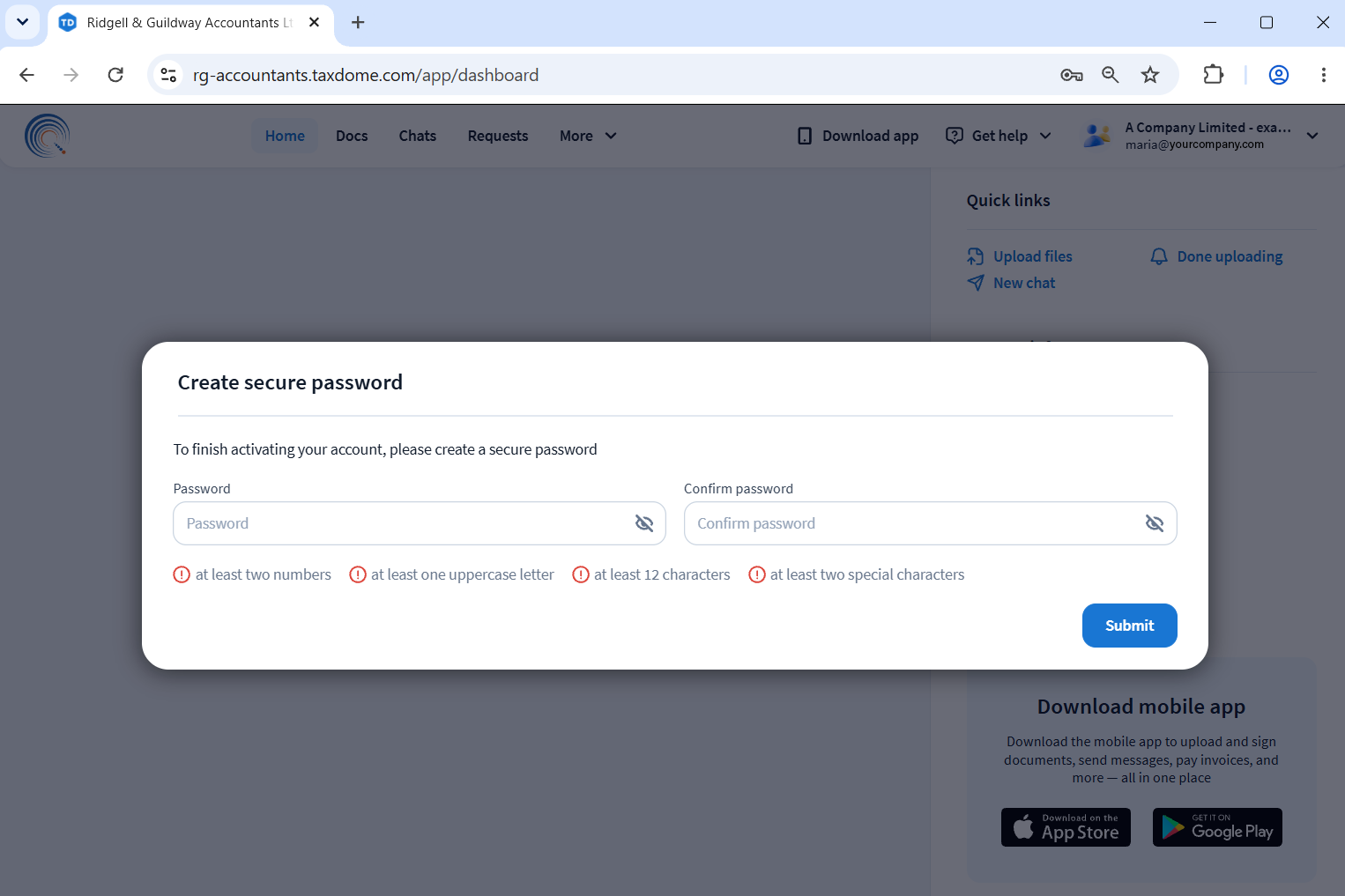
That’s it! Now you can use your portal. To return to it in the future, you’ll just need to sign in with your email and password.
Step 2: View to-dos.
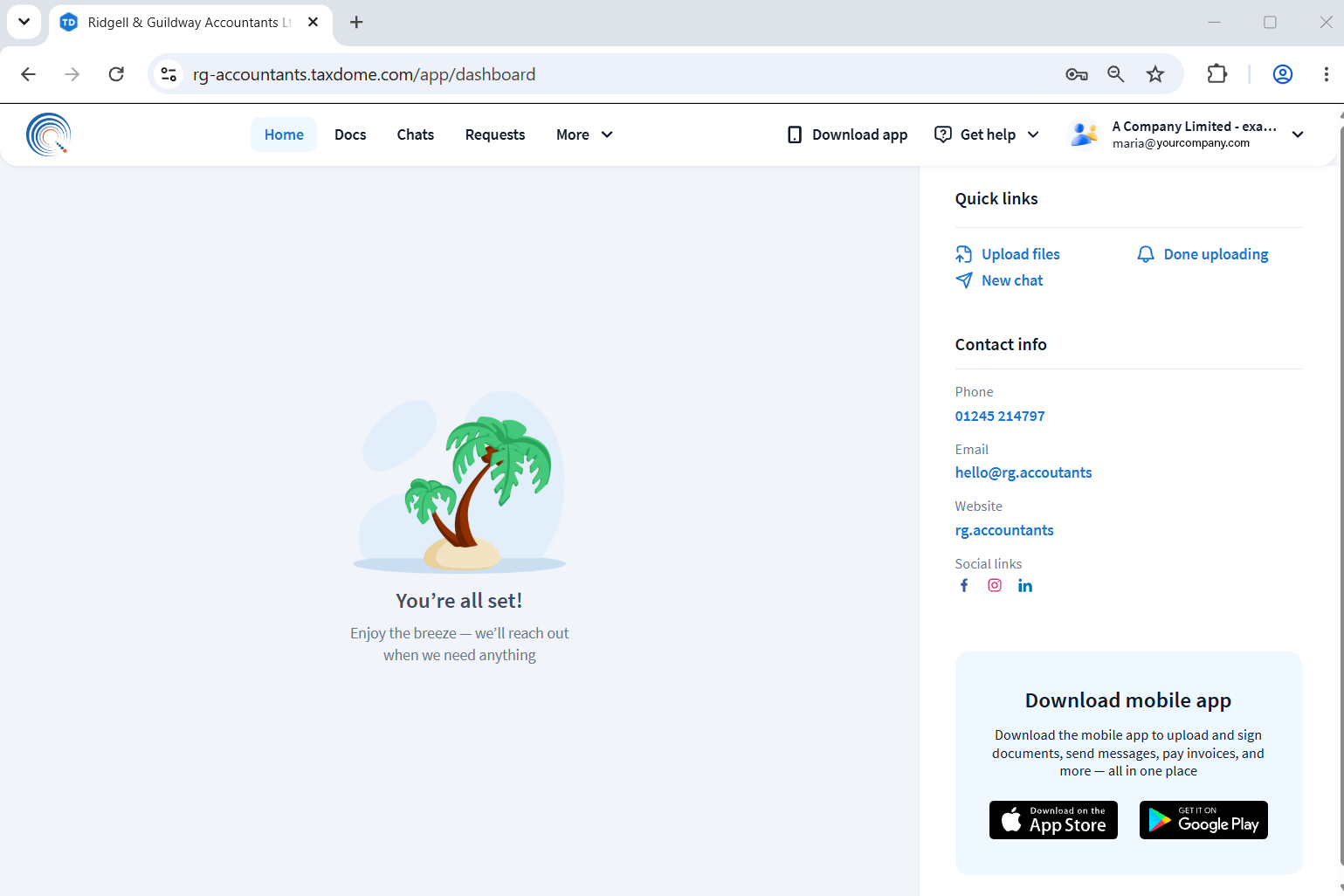
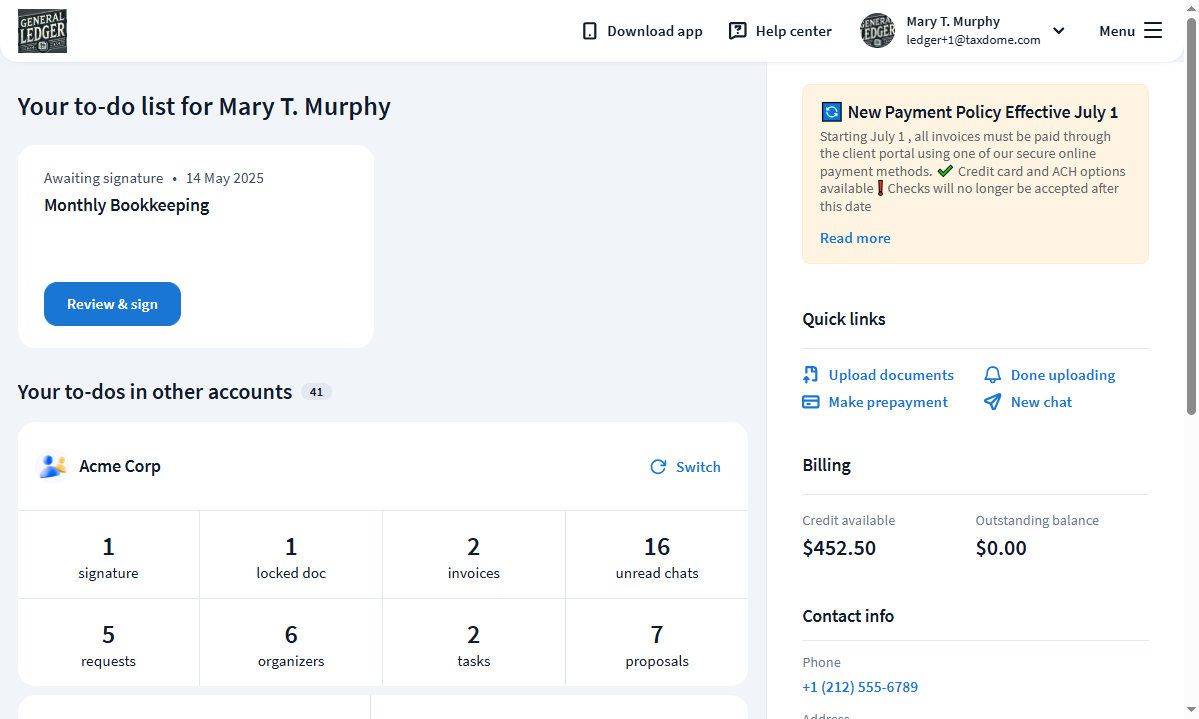
The first page you see is your dashboard with notifications about important updates, such as unpaid invoices, unseen messages, pending organizers, and unread documents. You’ll also find the contact info for our firm here.
Once we start using it, it will look something like this
Step 3: Explore the main menu in the left menu bar.
From the sidebar, you’ll be able to easily go wherever you need to on your portal.
- Documents is where you upload your documents, e-sign, and download whatever we’ve prepared for you.
- Chats & Tasks is where you can ask us any questions or respond to any of our requests.
- Organisers is where you fill out any necessary questionnaires needed for us to prepare your documents.
- Proposals & ELs is where you e-sign custom engagement letters that are used to define the scope of engagement between us.
- Invoices is where you pay invoices for our services and review payments.
- Settings is where you add additional users to your account if needed.
Roll out
Roll out will be gradual, and we will be happy to walk you through it if you are short on time.
- Its easier than DropBox
- More organised than sending individual emails
- Moble app allows you to snap and upload images directly to your client portal, where you, and we, will always be able to access them.
- Secure.
TaxDome Cloud Client Portal enjoys
Encryption and Data Storage
- 256-bit SSL: Protects all data communication between your device and TaxDome.
- Amazon AWS: Stores data securely in Amazon Web Services data centres with strict physical and virtual controls.
- Malware scanning: Automatically checks every uploaded file for viruses and removes threats instantly
Access and Authentication
- Multi-factor options: Requires mandatory email verification codes, optional authenticator app 2FA, SMS backups, or Google Single Sign-On (SSO).
- Role-based permissions: Restricts file and chat access to only authorized firm members and the specific client.
- Audit trails: Keeps time-stamped logs of all document views, uploads, and downloads
YouTube Video: How to start using TaxDome as a Client